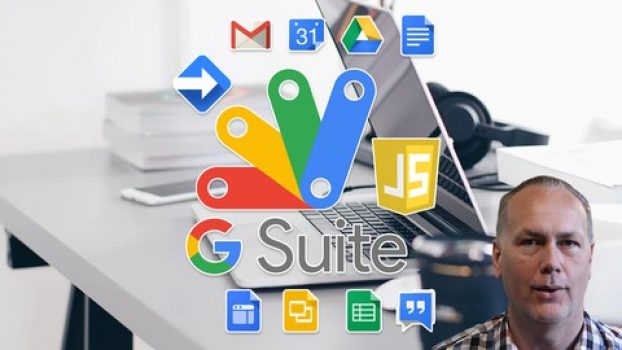
 Google Apps Script Complete Course Beginner to Advanced Course includes 12 hrs video content and enrolled by 25k+ students and received a 4.5 average review out of 5. Now, you will get $9 on the original price of the course and discount price differs from country to country, and the course provider offers 30-days money-back guarantee! If you are not satisfied in any way, you’ll get your money back.
What you’ll learn
-
Create custom functions within G Suite Apps Docs Sheets Slides Gmail Drive and more
-
Create Google Script to power Google Apps
-
Use Google Script to to add functionality automation and more to Google Docs Sheets plus
Course will cover
- Standalone script
- IDE editor
- Quick demo to setup and get started with.
Document – DocumentApp
- Get document
- Document body
- Get elements within body
- Create docs on the fly
- Document UI for alerts and responses. Interact with users.
- Selection of data and construction of content
- Styling your doc content
Spreadsheet – SpreadsheetApp
- How to Get spreadsheet data
- Create spreadsheets and update, create and use the data
- Get ranges – select sheets and get content
- Get Sheet data and iterate through it to output it
- Write to spreadsheet using script
- Spreadsheet UI for added interactions with users
- Update sheet with new data
- Sidebar menu update sheet show sheet data and more
Google Sites – Standalone scripts
- Sites class and how to use them
- Sites dashboard navigation and use
- Design sites interface with options to create pages and more
- Add scripts to sites to create data driven and interactive pages
- Output and setup sites content quickly and easily
Google Drive – DriveApp Class
- Get drive data and use it
- Setup files create new files
- Move files from one folder to another
- Get folder contents and list it
- Create files copy files and update files
- Search drive files and folders
- Get permissions and set permissions
- List files from folders in Google Sheet show permissions update permissions
Calendar Calendar – CalendarApp Class
- Create events
- Get event details
- Update color style
- Output events to Google Sheet
- Using Calendar events checking availability and more
Gmail – GmailApp Class
- Send message
- Get inbox contents from folder
- Create labels and move files
- Get counts of emails and content
- Mark Emails as read
- Track emails and use the content
- Search emails
- Star Messages
Step by step training lessons
This course covers everything you need to learn about Google Apps Script, including practice exercises, loads of examples, source code and step by step training. Along with friendly support in the Q&A to help you learn and answer any questions you may have.
Try it now you have nothing to lose, comes with a 30 day money back guarantee.
Taught by a knowledge instructor with many years of web development experience, ready to help you learn.
Join now and create your own Google Scripts Apps see what is possible.
Who this course is for:
- Anyone who wants to create amazing things using Google Scripts
- JavaScript developers who want to empower Google suite of products
- Web developers who want to incorporate Google Script functionality
- Application developers who want to access the power of Google G Suite
- App Script Google Script developers
Can I download Google Apps Script Complete Course Beginner to Advanced course?
Course videos can be downloaded for offline viewing using the Udemy mobile app on Android and iOS. Some courses may allow downloading lectures on a computer only if the instructor has enabled it, but this is not guaranteed and is not the primary method Udemy supports.Can I get a certificate after completing the course?
Yes. After successful completion of the Google Apps Script Complete Course Beginner to Advanced, learners will receive a certificate of completion. The certificate confirms that the course has been completed and can be downloaded and shared on resumes or professional profiles.Are there any other coupons available for this course?
Additional coupons for this course may be available from time to time. Coupon availability is time-limited and may change or expire at any time, so it’s recommended to check regularly for updated offers.Disclosure: This post may contain affiliate links and we may get small commission if you make a purchase. Read more about Affiliate disclosure here.