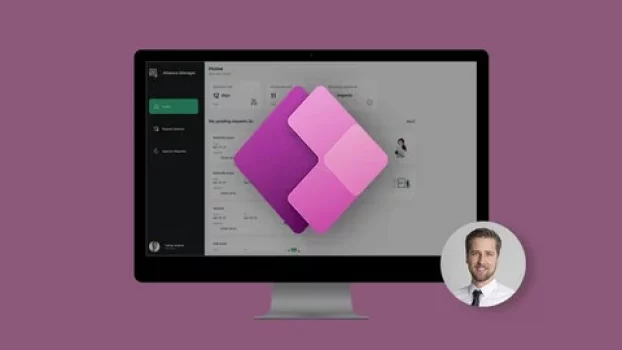
Mastering Microsoft Power Apps 2026: From Zero to Hero
Coupon Verified on May 31st, 2026

Students : 38,525
Duration : 21.5 hours
Avg Rating : 4.6
Original Price : $119.99
Discount Price : $12
Instructor / Provider : Udemy
Course Type : Self Paced Online Course. Lifetime Access
Coupon : Click on ENROLL NOW to apply discount code
What you’ll learn
-
What is SharePoint
-
Free Plans vs Paid Plans in Microsoft SharePoint
-
You Need a Microsoft Account For SharePoint
-
Registration of Domain in Microsoft SharePoint
-
Domain Configuration in Microsoft SharePoint
-
Microsoft SharePoint Dashboard and Admin Panel
-
Microsoft SharePoint Environment
-
Two Type Website in Microsoft SharePoint
-
Inviting Someone to Your Website in SharePoint
-
Login Process of Invited User at Microsoft Share Point
-
Share Point Website Environment
-
SharePoint Webiste Menu Bar
-
Team Site Creation in SharePoint
-
Menu Edit Options in SharePoint
-
Adding Section in Share Point Team Site
-
Insert Option in SharePoint
-
Inserting Image in Team Site Share Point
-
Inserting Text in Team Site Share Point
-
Inserting File Viewer in Share Point Team Site
-
Inserting A Link In SharePoint Team Site
-
How to embed In SharePoint Team Site
-
High Lighted Content in Share Point Team Site
-
Audience Targeting in SharePoint Team Site
-
How to insert Bingo Map In SharePoint Team Site
-
Adding Call to Action In SharePoint Team Site
-
Adding Hero in SharePoint Team Site
-
Text, Media and Content Tools in Share Point
-
Adding Document Library in Share Point Team Site
-
How to Add List in Share Point Team Site
-
Adding List Properties in Share Point Team Site
-
Page Properties in SharePoint Team Site
-
Quick Links adding in SharePoint Team Site
-
Discovery and Collaboration Tools
-
Discovery and Collaboration Tools (cont.)
-
Conversation in SharePoint Team Site
-
Document Tab in Share Point Team Site
-
How to Insert List in SharePoint Team Site
-
Creating Page and Managing It on Share Point Site
-
Creating Document Library on SharePoint Team Site
-
Creating App in SharePoint Team Site
-
Creating Subsite in SharePoint
-
Recycle bin in Team site
-
Communication Site Creation
-
Communication Topics Site Creation
-
Admin Center in Share Point
-
Admin Center Menus
-
Admin Center Top Bar Menu
-
Admin Center of Microsoft SharePoint for Adding User
-
Account Overview in SharePoint Website
-
Security Info in Share Point Website
-
Account Settings in SharePoint (cont.)
-
Office Account in SharePoint
-
Microsoft Teams Practically
-
Microsoft Free and Paid Plans
-
Function of Microsoft Teams
-
Microsoft Account Registration
-
Microsoft Teams Configuration
-
Microsoft Teams Desktop App
-
Microsoft Mobile App
-
Creating Org in Microsoft Team
-
Creating Teams and Channels in Org of Microsoft Teams
-
The Core Part of Microsoft Teams
-
Org, Teams and Channels Settings
-
Create, Add Users and Manage a Team
-
Complete Guide of Meeting Set-up
-
Collaborate with Teams
-
Schedule Team Meetings
-
Chat Management
-
Activity Management
-
Calls Management
-
Files Management
-
Microsoft Teams Settings
-
Privacy Settings
-
Notification Settings
-
Device Settings
-
Permission Settings
-
Call Settings
-
Search Options
-
Microsoft Office Essentials
-
YouTube Apps in Microsoft Teams
-
Trello Apps – Stay on Top of Your Task List by Automatically Creating, Updating and Organizing Them in Trello
-
Wiki Tab Is Your Notes, on A Channel Level, that Includes a Hierarchy of Sections Within Listed Pages
-
OneNote The digital note-taking app for your devices
-
Polly Offers a Native Integration in Microsoft Teams to Foster Collaboration and Productivity
-
Karma as Daily Appreciation, Recognition and Rewards in Microsoft Teams
-
Powerful Password Creations for You and Your Users
Who this course is for:
- Anyone interested in Microsoft SharePoint in Microsoft 365
- People Who Need SharePoint
- Office 365 Users
- Teams Users
- Employees
- Managers
- Administrator
- Business Owners
- Team Leaders
- Anyone Who Want Stay Connected and Organized. Accomplish More Together Across Work, School, and Life with Microsoft SharePoint.
⚠️ Coupon may not work in Incognito / Private mode. Open in a normal browser and disable ad-blockers or VPN for best results.
Deal Score0
Disclosure: This post may contain affiliate links and we may get small commission if you make a purchase. Read more about Affiliate disclosure here.
FAQs on Udemy Coupon
Are there any limitations to access udemy coupon Code?
Yes, Mastering Microsoft Power Apps 2026: From Zero to Hero coupon code is time-limited and may have limited redemptions. Once the coupon expires or reaches its usage limit, it will no longer be valid.
Is Mastering Microsoft Power Apps 2026: From Zero to Hero free download available?
No, you cannot download Udemy course directly from the website. However, Udemy’s mobile app for iOS and Android allows you to download courses for offline viewing within the app.
Can I get a refund for the Mastering Microsoft Power Apps 2026: From Zero to Hero course, If I purchased with a coupon?
Yes, Udemy offers a 30-day money-back guarantee for all courses purchased on the website, even if you used a coupon to purchase the course.
If enrollment is done using a discount coupon, will a certificate be provided?
Yes. A certificate of completion is issued for Mastering Microsoft Power Apps 2026: From Zero to Hero after successful completion, as it is a paid Udemy course, regardless of whether enrollment was completed using a discount coupon.