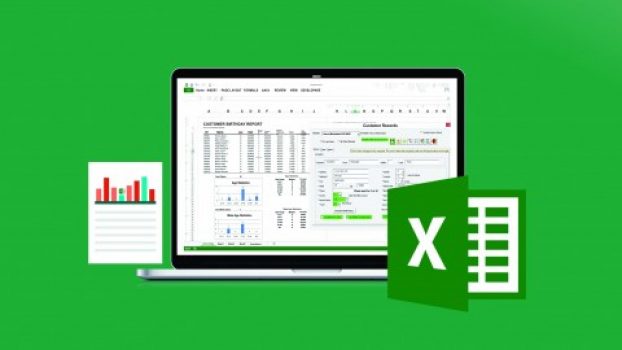
 The Ultimate Excel Programmer Course Course includes 30.5 hours video content and enrolled by 1.9L+ students and received a 4.6 average review out of 5. Now, you will get 90%OFF on the original price of the course and discount price differs from country to country, and the course provider offers 30-days money-back guarantee! If you are not satisfied in any way, you’ll get your money back.
What you’ll learn
-
Automate and Customize data entry forms
-
Choose the right Loop for each task
-
Master the CELLS and RANGE objects in multiple scenarios
-
Create multiple Variable styles to match your need
-
Customize your VBA Editor and Understand all the Toolbars and options
-
Debug and Troubleshoot code like a boss!
-
Record, Modify or Write Macros from scratch
-
Make Custom Formulas/Functions on the fly
-
Breeze through IF THEN statements and conquer all the Logical Operators
-
Batch out inter-active MessageBoxes, InputBoxes and give users CHOICES!
-
Generate Basic Reports that can be printed
-
Add filters to report menus to narrow the records
-
Take control of forms, Buttons, Drop-down menus, Checkboxes and option buttons AND so much more. . .
-
Trigger code from a number of different methods – from Clicking on a cell – to De-Selecting a worksheet.
-
Set up Special Commands when a workbook: Opens or closes, is selected, any cell or certain cells are selected, right before printing, etc. . .
-
Manipulate Userforms for data entry, report generation, editing tables/databases – ALL within your control. Restrict the flow of data OR make the Userform(s) responsive, calculating, INTUITIVE.
-
Streamline your work and the work of others.
-
Put Excel ON AUTOPILOT. . .
Who this course is for:
- This Excel course is for anyone who wants to learn Automation secrets in Excel VBA. It’s for complete newbies and/or students looking for a refresher or Reference tool, to pick and choose relevant lessons for their projects. No prior programming knowledge is needed.
- This course is probably not for you if you’re looking to learn super advanced report authoring, which will be covered in a future course specifically on this topic. We will, however, make sure you know how to make good solid reports from your data and many tricks to make them look good.
- If you’re using Excel for Mac, you will find that this course won’t cover all the various differences in Excel Mac, as this course was filmed using Excel for PC and Excel VBA is a bit limited for Mac users, esp on the design side. Many students end up programming in windows and just using Mac to run the Excel wb or will virtualize Windows within Mac using programs like Parallels or Bootcamp.
Can I download The Ultimate Excel Programmer Course course?
Course videos can be downloaded for offline viewing using the Udemy mobile app on Android and iOS. Some courses may allow downloading lectures on a computer only if the instructor has enabled it, but this is not guaranteed and is not the primary method Udemy supports.Can I get a certificate after completing the course?
Yes. After successful completion of the The Ultimate Excel Programmer Course, learners will receive a certificate of completion. The certificate confirms that the course has been completed and can be downloaded and shared on resumes or professional profiles.Are there any other coupons available for this course?
Additional coupons for this course may be available from time to time. Coupon availability is time-limited and may change or expire at any time, so it’s recommended to check regularly for updated offers.Disclosure: This post may contain affiliate links and we may get small commission if you make a purchase. Read more about Affiliate disclosure here.